Figma Variables — TS export limitations
When exporting from Tokens Studio to Figma Variables, some items will not transfer automatically. This section helps designers understand which token types are skipped and provides guidance on what to do instead so that your workflow remains smooth and predictable.
What doesn’t export automatically from TS → Variables
Use this table when something “mysteriously” doesn’t show up as a Variable.
| Token/Thing | Status | Do instead |
|---|---|---|
| Asset / Composition / Other tokens | Skipped on export | Keep as Styles or as TS-only concepts; reference with variable-backed sub-tokens where possible. |
| Multiple value tokens (e.g., full Typography object, Box Shadow object) | Skipped as Variables | Export as Styles (e.g., Text/Effect) with variable references for the supported sub-values. |
Line-height AUTO | Skipped (needs numeric) | Use numeric values or rely on Text Styles behavior; TS can set AUTO in Styles but not as a number Variable. |
| Percent values for Number variables | Skipped (Variables require unitless) | Convert to decimals where allowed; use appropriate variable type (e.g., opacity, text percentage) or bind via Styles. |
| Some text properties (e.g., certain automatic/percent inputs) | Partial support | Prefer Text Styles referencing variables for size/line-height/letter-spacing where numeric; bind family/weight when available in your environment. |
| Gradients | Partial support | Export individual gradient stops as separate color variables. Assemble the gradient manually and create a Style in Figma referencing these variables. |
| Padding/Margins with composed values | Skipped as a single token | Split into two variables: e.g., a TS padding 0 8 0 8 should become padding.vertical=0 and padding.horizontal=8. Bind these separately in Figma to horizontal and vertical fields. |
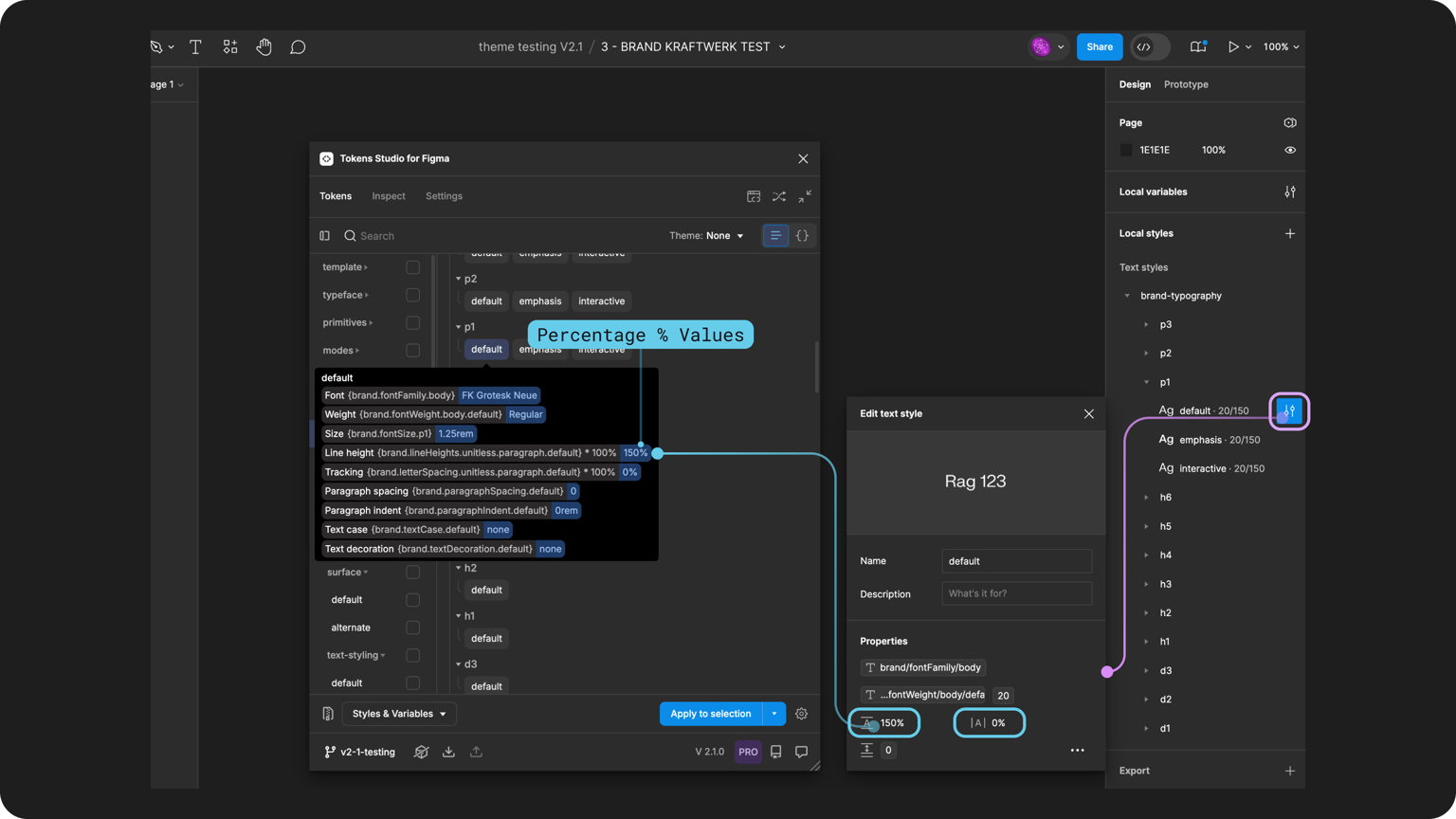
If in doubt: export Styles with variable references so styles stay synced to the variable values.