Figma Variables — How To Create, export, edit & publish
Goal: Provide designers with a practical, step-by-step guide to create, edit, export, and publish Figma Variables — ensuring consistency across brands, products, and modes.
Step‑by‑step
Prepare tokens in TS
-
Confirm the target dimensions in the ticket (brand(s), mode(s), product, platform).
-
Add/adjust tokens in the lowest appropriate layer:
- Prefer Primitives first.
- Only add Brand/Product overrides when a real divergence exists.
-
Use aliases over duplicating values.
-
Run TS token validation (naming, references, duplicates).
Export to Figma Variables (via TS)
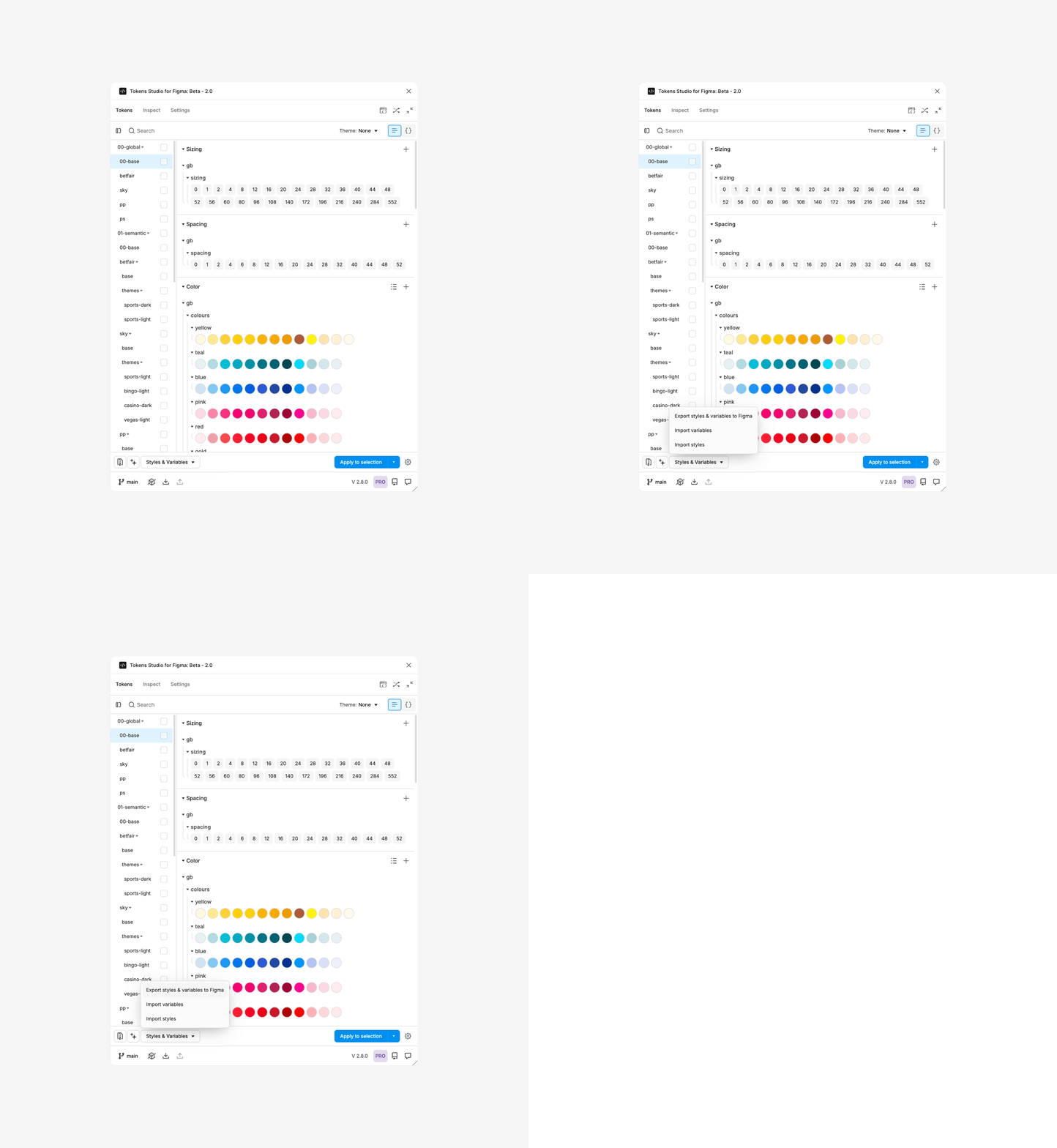
1. In TS → Styles & Variables → Export Styles & Variables to Figma.
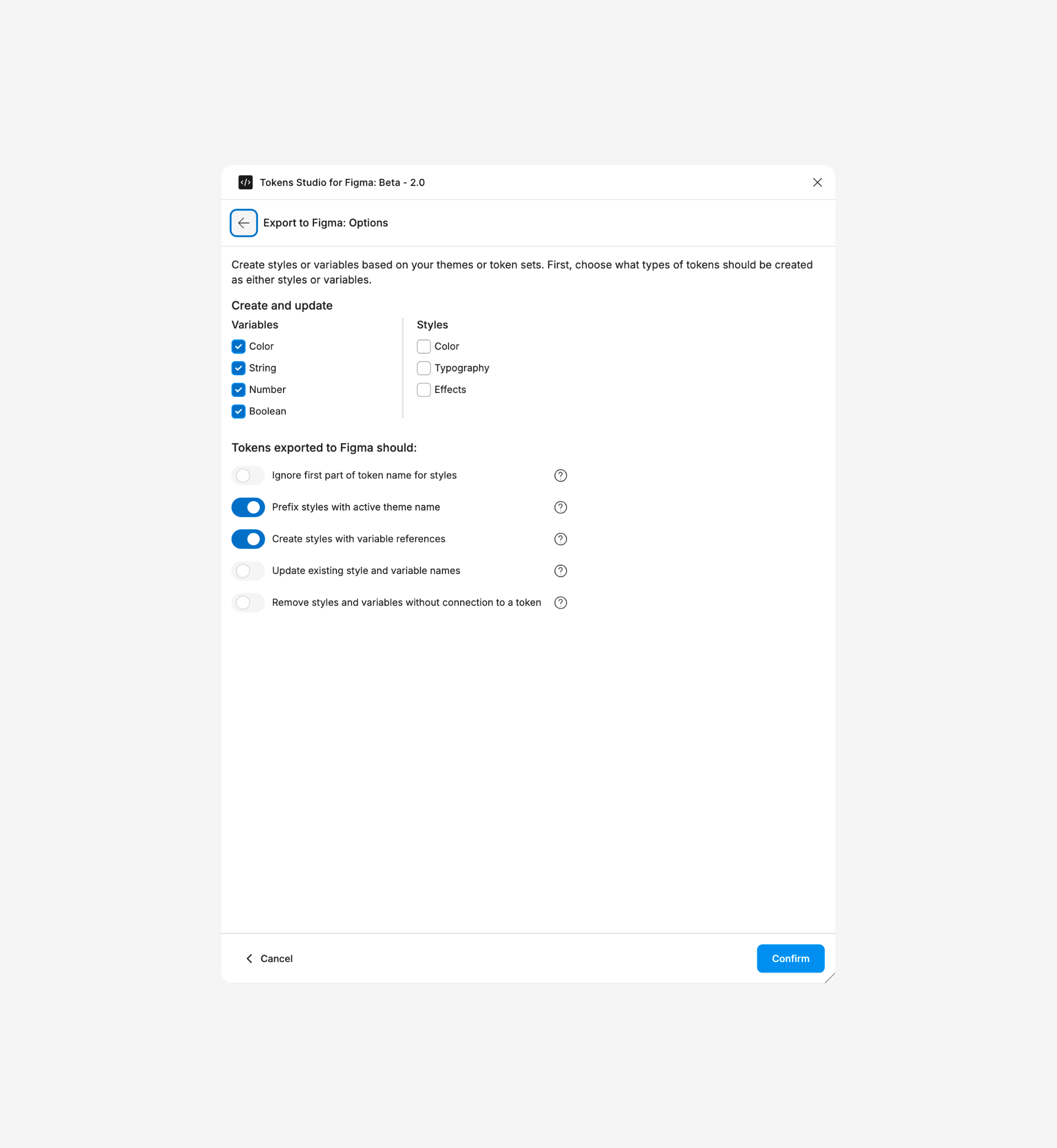
2. Options
Create and Update:
- Variables
- Styles
- Select Variable types to export (Color/Number/String/Boolean).
- Select 2 options on "Tokens exported to Figma should:" section:
✅ Prefix styles with active theme name
✅ Create styles with variable references - Ensure only the relevant Token Sets/Themes are included.
🚧 Work in progress
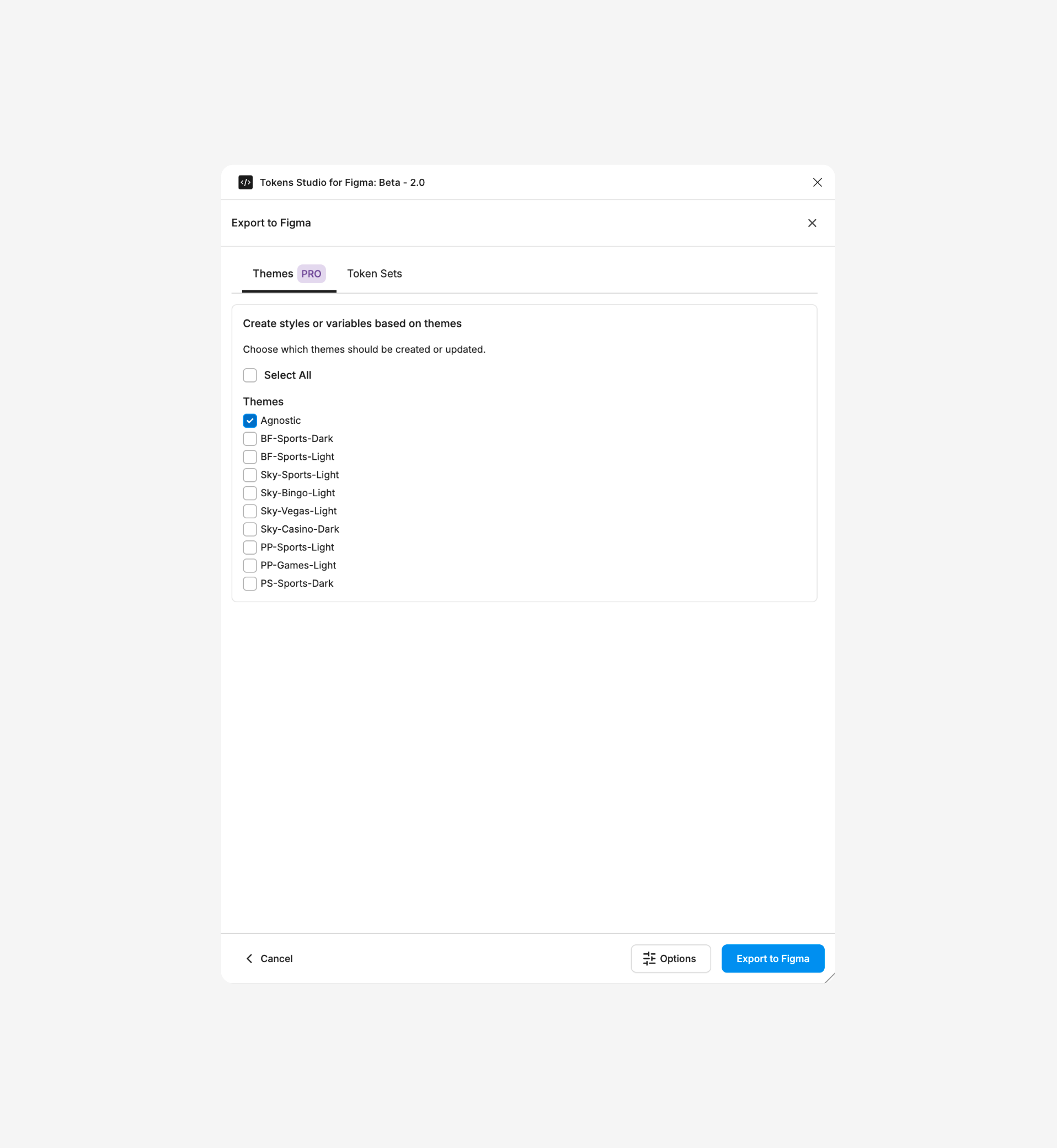
3. Scope the export
Export Primitives first, then Brand/Product (keeps alias chains intact).
- Our advice is to folow our current theme order and group by brand (not more that 2 set per export)
4. Run export and watch the status messages.
5. In Figma Variables panel, verify the created/updated variables in the expected collection and modes.
Some token types are not exported as Variables (e.g., Assets, Composition, composite tokens like full Typography objects or Box Shadows). Use Styles with variable references or keep them as Styles only.
Here is the full flow to export from TS to Figma Variables.
Bind variables in components
-
Replace hard‑coded values with variables (fills, strokes, radii, spacing, gaps, corner smoothing, opacity, etc.).
-
Typography: bind supported fields (font size, line height (numeric), letter‑spacing (numeric), weight/family where supported), and connect Text Styles to variables when appropriate.
-
Use boolean/number/string variables to drive variants and prototyping where it adds value.
Test across modes & brands
-
Switch light/dark and brand modes on the canvas and in component docs.
-
Confirm all instances update correctly; look for fallback issues and missing aliases.
Publish & PR
-
Publish Variables/Styles from the library file with a crisp changelog (what changed, why, impact).
-
Open a PR (tokens repo) including:
- The TS JSON(s)
- A short changelog grouped by dimension (Primitives / Brand / Product)
- Screenshots/GIF of mode switching before/after (if helpful)